Capture
Add receipts from desktop upload, phone camera, or a team email inbox.
Receipt management for small teams
Capture receipts by upload, camera, or email. Review AI-extracted fields, approve expenses, and archive everything into Google Drive + Sheets or Dropbox + CSV.
How it works
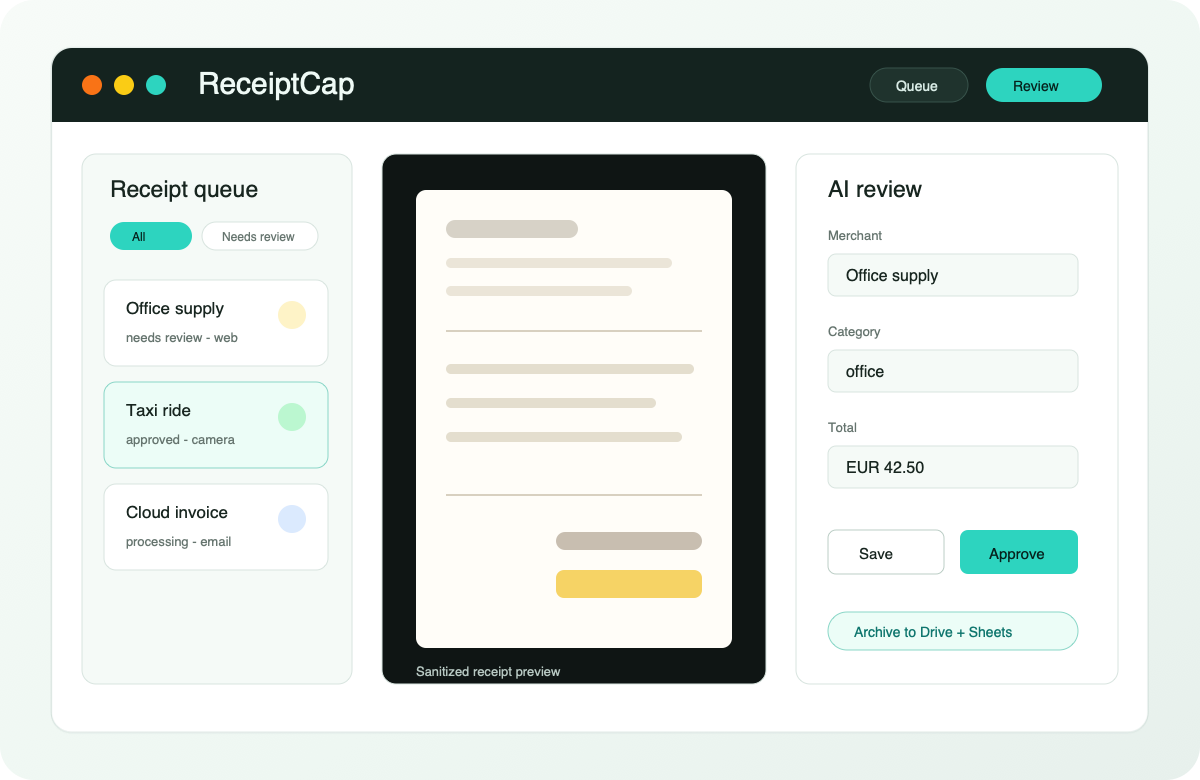
Add receipts from desktop upload, phone camera, or a team email inbox.
Confirm merchant, date, category, payer, reimbursement, tax, and total before approval.
Approved receipts are finalized into the selected archive destination with matching ledger records.
Built for small teams
Invite teammates, track who paid, and separate company-paid from reimbursable expenses.
Keep review fields consistent with workspace categories and duplicate detection.
See receipt events and recover stuck processing or finalization jobs from admin tools.
Archive destinations
Google Drive + Sheets is available on every plan. Pro teams can switch to Dropbox and keep a yearly CSV ledger in the app folder.
Approved files land in the Drive folder selected by an admin, with structured rows in Google Sheets.
Pro workspaces can archive receipts to a Dropbox app folder and maintain yearly CSV exports.
Forward receipts to a workspace address and process them in the same queue.
Learn more
See how ReceiptCap replaces ad hoc receipt collection with shared review and approval.
Learn moreCapture receipts from upload, phone camera, or forwarded email attachments.
Learn moreCompare ReceiptCap with manual spreadsheet receipt tracking.
Learn moreSimple plans
Monthly receipt allowance for trying the full capture and review workflow.
Higher included scan volume, Dropbox archive destination, admin billing controls, and team operations features.
Buy extra receipt scans when a busy month outgrows the included allowance.
Ready for receipts